When you think about advertising on Google, your mind probably jumps straight to paid campaigns and hefty advertising budgets. However, did you know there are ways to advertise on Google for free? By leveraging specific tools and strategies, you can reach your audience effectively without spending a dime. Whether you're a small business owner, a freelancer, or an entrepreneur, these methods can help you make the most of Google’s powerful ecosystem.
In this article, we’ll explore five actionable methods to advertise on Google for free. From Google SEO to using YouTube as a complementary tool, these strategies will ensure you build visibility, drive traffic, and grow your business organically.
1. Google SEO: Optimise Your Website for Free Traffic
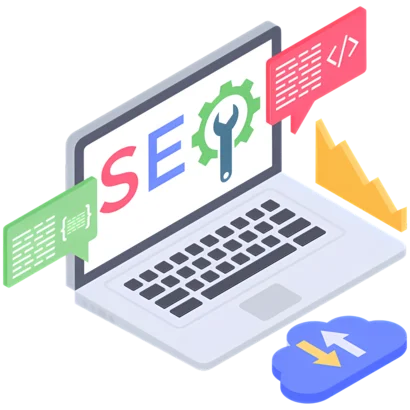
Search Engine Optimisation (SEO) is the backbone of free advertising on Google. With over 8.5 billion searches performed daily, ranking on Google’s first page can bring a steady stream of traffic to your website..
How to Use Google SEO for Free Advertising
To get started with Google SEO, you’ll need to ensure your website is optimised to rank higher in search results. This involves focusing on keywords, site speed, mobile-friendliness, and quality content. Begin by conducting keyword research using free tools like Google Keyword Planner or Ubersuggest. Identify long-tail keywords related to your niche, such as questions your audience frequently asks.
For example, if you’re a small bakery owner, you can target keywords like “how to order custom cakes” or “best gluten-free desserts near me.” Create blog posts, guides, or FAQs around these keywords to attract your target audience.
Who Can Use Google SEO?
SEO is perfect for anyone with a website—small business owners, bloggers, e-commerce stores, and even non-profit organizations. The beauty of SEO is its accessibility; you don’t need an advertising budget to see results, just time and effort.
How to Implement Google SEO
- Content Creation: Publish high-quality, keyword-rich content that solves problems or answers questions.
- On-Page Optimisation: Include keywords in titles, meta descriptions, headers, and image alt texts.
- Technical SEO: Ensure your website is fast, mobile-friendly, and secure (use HTTPS).
- Backlink Building: Reach out to other websites in your niche for collaborations or guest posts to earn valuable backlinks.
By consistently improving your site’s SEO, you can rank for relevant searches and attract traffic without spending a cent.
2. Google Business
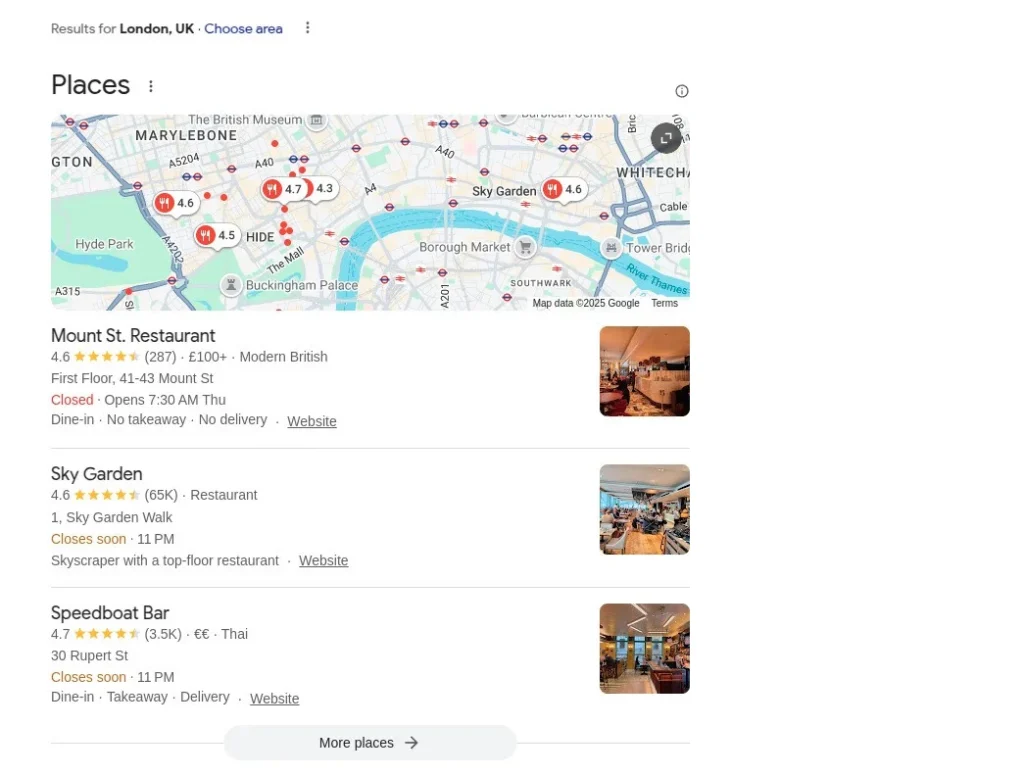
Google Business (formerly Google My Business) is a free tool that allows businesses to appear in local search results and Google Maps. A fully optimised Google Business profile is invaluable for local businesses.
How to Use Google Business for Free Advertising
When someone searches for a service or product in your area, such as "best coffee shop near me," businesses with an optimized Google Business profile are prioritized in the results. To start, claim your business on Google Business and fill out all relevant details: name, address, phone number, website link, business hours, and high-quality photos.
Who Can Use Google Business?
Google Business is ideal for local businesses like restaurants, salons, gyms, and retail stores. It’s especially powerful for brick-and-mortar locations that want to drive foot traffic.
How to Implement Google Business
- Claim Your Listing: Go to Google Business and verify your business.
- Optimize Your Profile: Add accurate and complete information, including business hours, website URL, and photos.
- Encourage Reviews: Ask happy customers to leave positive reviews, as this boosts your visibility.
- Engage Regularly: Post updates, special offers, or events to keep your audience engaged.
A well-maintained Google Business profile can significantly improve your online visibility and bring in local customers without any cost.
3. Google Shopping
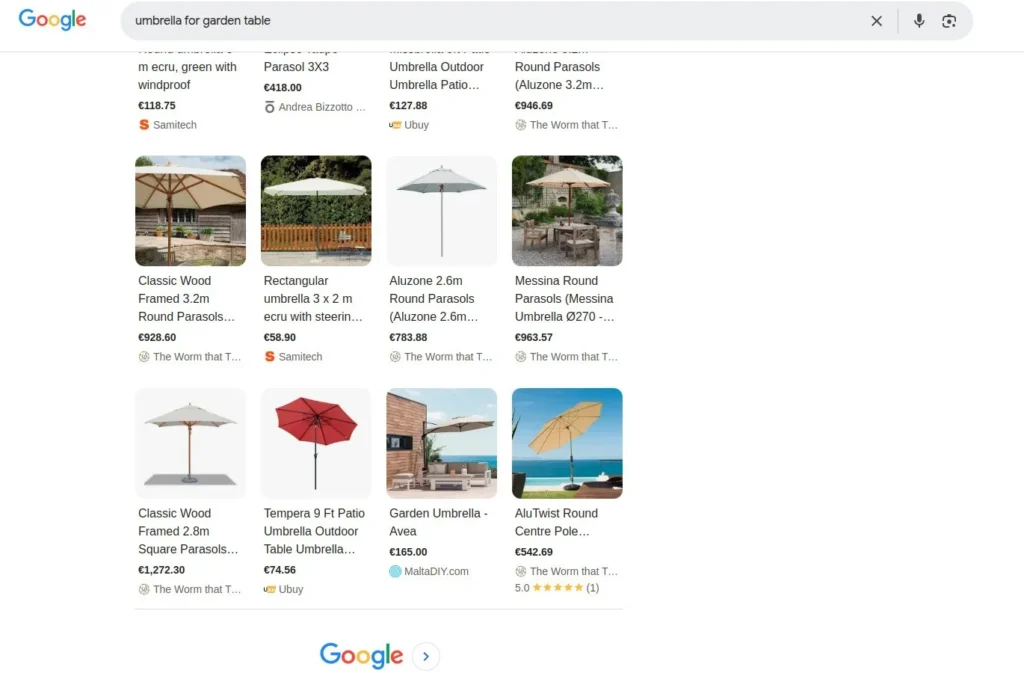
Google Shopping allows businesses to list their products for free on the Shopping tab in search results. This feature is a game-changer for e-commerce businesses looking to gain visibility without paid ads.
How to Use Google Shopping for Free Advertising
Google offers free product listings through the Merchant Center. By setting up a Merchant Center account and uploading your product feed, your products can appear in relevant Shopping searches. Ensure that your product descriptions are optimised with keywords and high-quality images.
Who Can Use Google Shopping?
Google Shopping is ideal for e-commerce stores, retail businesses, and brands selling physical products. Whether you’re a small boutique or a large retailer, this tool can help showcase your inventory.
How to Implement Google Shopping
- Create a Merchant Center Account: Sign up on the Google Merchant Center website.
- Upload Your Product Feed: Include detailed product descriptions, images, and pricing.
- Optimise Listings: Use relevant keywords and ensure your product images are high-quality.
- Monitor Performance: Use analytics to track which products are generating clicks.
By leveraging Google Shopping, you can advertise your products to millions of potential customers for free.
4. Google Hotel
If you own a hotel, bed and breakfast, or vacation rental, Google Hotel is an excellent way to promote your property for free. With Google’s free hotel listings, travellers can discover your business when searching for accommodations.
How to Use Google Hotels for Free Advertising
Google Hotel listings allow your property to appear in search results when travelers are planning their trips. To get started, sign up for Google Business and ensure your business is listed under the appropriate category. Include your address, website, and booking options.
Who Can Use Google Hotel?
This tool is tailored for hospitality businesses like hotels, resorts, and vacation rentals. It’s especially useful for independent businesses competing with larger chains.
How to Implement Google Hotel
- Claim Your Listing: Verify your business through Google Business.
- Add Accurate Details: Include information about amenities, room availability, and pricing.
- Use Booking Links: Direct users to your website or third-party booking platforms.
- Monitor Reviews: Engage with customer reviews and improve your service based on feedback.
With a well-optimized Google Hotel profile, you can attract guests from around the globe without any advertising spend.
5. Google Recipes
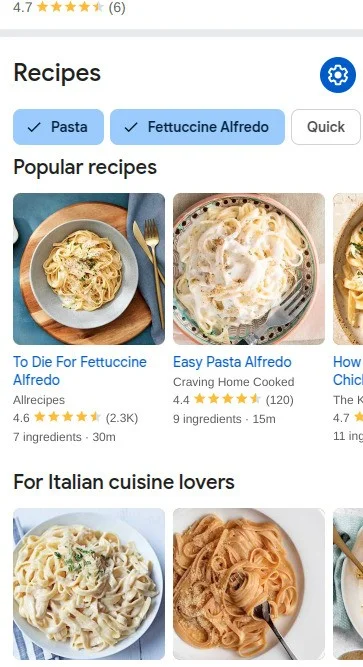
For food bloggers, recipe developers, and culinary businesses, Google Recipes is a fantastic way to advertise for free. By optimizing your content for Google’s recipe schema, you can attract food enthusiasts searching for inspiration.
How to Use Google Recipes for Free Advertising
Google Recipes relies on structured data to display your recipes in a visually appealing format. To start, add recipe schema markup to your website’s HTML, which includes details like cooking time, ingredients, and nutritional information. This ensures your recipes appear in rich snippets in search results. Today it only pops up on mobile devices.
Who Can Use Google Recipes?
Google Recipes is perfect for food bloggers, chefs, and businesses in the culinary industry. If your content revolves around food, this is an essential strategy to adopt.
How to Implement Google Recipes
- Use Recipe Schema Markup: Add structured data to your website. You can use free tools like Google’s Structured Data Markup Helper to make this easier.
- Optimise Content: Write detailed, step-by-step instructions and include high-quality images or videos.
- Focus on Keywords: Use keywords like “quick dinner recipes” or “healthy dessert ideas” to attract your audience.
- Engage Your Audience: Encourage users to share your recipes on social media or leave comments on your blog.
By optimising your recipes for Google, you can gain significant traffic from food lovers and aspiring chefs.
5+1. YouTube
Although YouTube is not technically part of Google’s core search platform, it’s owned by Google and plays a crucial role in free advertising. With over 2.5 billion active users, YouTube is a goldmine for businesses that want to reach a global audience.
Why Include YouTube in Your Strategy?
YouTube serves as a visual search engine, where people look for tutorials, product reviews, and how-to guides. By creating valuable content that aligns with your audience’s interests, you can build trust, generate leads, and drive traffic to your website.
How to Use YouTube for Free Advertising
Start by creating a YouTube channel and uploading high-quality, engaging videos. Optimize your titles, descriptions, and tags with relevant keywords. For example, if you sell fitness equipment, create videos like “Best Home Workouts with Dumbbells” or “How to Set Up a Home Gym.”
Who Can Use YouTube?
YouTube is suitable for businesses across all industries. Whether you’re a consultant, a retailer, or a service provider, video content can help you reach your audience.
How to Implement YouTube
- Create a Channel: Use a professional logo and channel art to establish your brand.
- Produce Engaging Content: Focus on tutorials, product demonstrations, and customer testimonials.
- Optimize for Search: Use keywords in titles and descriptions to improve visibility.
- Engage with Your Audience: Respond to comments and encourage viewers to subscribe to your channel.
By leveraging YouTube, you can connect with your audience and promote your business in an authentic, cost-free way.
Conclusion
Advertising on Google for free may seem daunting at first, but with the right tools and strategies, it’s entirely possible. From SEO to Google Business and YouTube, there are countless ways to gain visibility without breaking the bank. Start implementing these methods today, and watch your business grow organically!